
Q: How can I upload data from my computer to Nero?
There are 2 easy ways to upload data to Nero:
Use the upload button on the JupyterLab UI, but it has a size limit of 100 MB
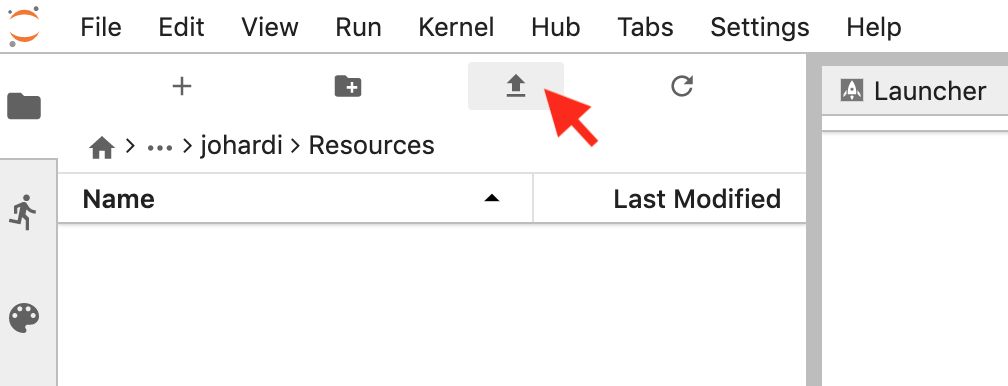
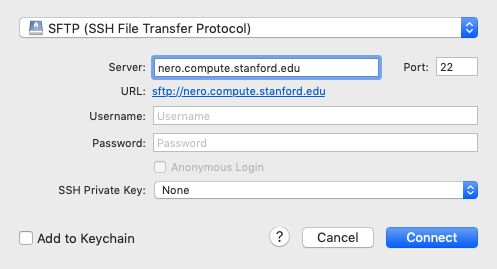
If you want to learn other methods on data transfer to Nero, please refer to ☞ this link.
Q: I want to install a Python package on Nero
The short answer is:
Open a Terminal on Nero
Type:
pip install --user <packagename>
For more complete instructions, please visit ☞ the documentation site.
Q: I want to install an R package on Nero
Please refer to ☞ this link to install an R package on Nero.
Q: I got an error code 500 when connecting to Nero
The 500 code (read: "Internal Server Error") is a common server error code that means something has gone wrong on the Nero's server.
Use these tips to troubleshoot this issue:
Check the date. The SRCC team usually performs a server maintenance every Wednesday and all servers will be temporarily down during the maintenance period.
Send a Slack message to
@srccin the #nero channel (☞ how to join a channel). Remember, read the previous messages first to see if others have reported the same issue.
Additional Nero Resources
Overview of Nero GCP: https://nero-docs.stanford.edu/gcp-overview.html
Comparison of Nero and Carina: https://carinadocs.stanford.edu/prem-vs-cloud
Nero Account Request Form (Click 'Order Nero GCP' in the bottom left): https://nero-docs.stanford.edu
Introduction to Nero GCP Webinar: Here
Nero Support: https://nero-docs.stanford.edu/help-and-support.html
Nero Office Hours: https://calendly.com/srcc-officehours/nero-officehours
Support Email Address: srcc-support@stanford.edu
Nero Slack Channel: #nero-users